Short direct answer
what is the best dog camera with treat dispenser? For most households, the Furbo 360° is the safest all-round pick because it combines a rotating camera, two-way audio, bark alerts and a reliable treat toss. If you want a larger treat hopper and a lower price, the Petcube Bites 2 Lite is a strong alternative. For small spaces or no monthly fees, look at the Furbo Mini 360°.
Leaving your dog at home can tug at your heart, even when you know you have to go. Maybe your puppy cried at the door this morning. Maybe your rescue is still learning that you come back. A camera can’t fix that feeling on its own, but the right one can help you check in, say something kind, and reward calm behavior from wherever you are.
The tricky part is that a dog camera with treat dispenser is not magic. Some dogs love it. Some ignore it. A few get more worked up by hearing your voice with no one there. This guide walks you through how these cameras work, what to look for, how the top options compare, and how to use one in a way that actually helps your dog instead of just entertaining you.
A quick note: product features, prices and subscription plans change often. Treat the details below as a starting point and check the current listing before you buy.
The Best Dog Camera With Treat Dispenser for Different Homes
There isn’t one winner for every dog, so here’s a simple snapshot. Each pick is explained in more detail further down.
| Your situation | Good fit | Why it stands out |
|---|---|---|
| Best all-rounder | Furbo 360° | Rotating view, bark alerts, treat toss, polished app |
| Best for small spaces and fewer fees | Furbo Mini 360° | Compact, basic see, talk and toss without a required plan |
| Best value and bigger hopper | Petcube Bites 2 Lite | 1080p video, night vision, two-way audio, treat dispenser |
| Tight budget | Lesser-known 2K treat cameras | Cheaper, but app and support quality vary a lot |
If you only remember one thing from this table, let it be this: the camera matters less than how you use it. A mid-range model used thoughtfully will beat a premium one used as a toy.
How a Dog Camera With Treat Dispenser Works
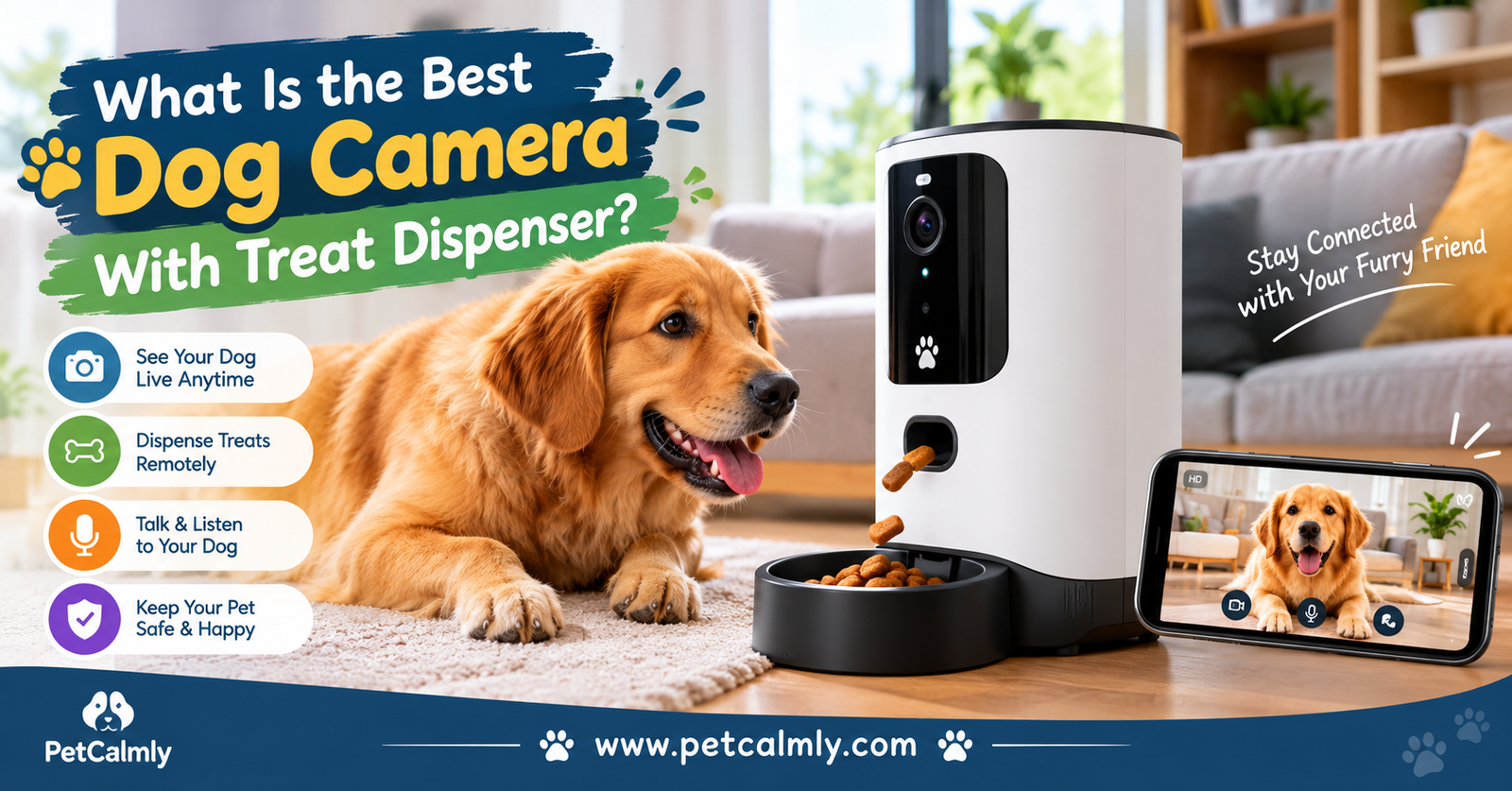
The idea is simple. A small camera sits on a shelf or counter and streams live video to your phone. When you open the app, you can watch, talk through a speaker, and press a button to launch or drop a treat to your dog.
What Happens When You Toss a Treat
Most models hold a small stash of dry treats inside. When you tap the button, the camera either flings one across the room or drops it near the base. Some play a short sound first. Furbo, for example, is known for making a click-style cue before the treat comes out, which helps your dog link the sound with something good.
That cue matters more than it sounds. Dogs learn through association, so a predictable “sound, then treat” pattern gives your dog something to understand rather than a random object that sometimes launches food.
Why Remote Treats Can Feel Good to Dogs
Dogs are social animals, and many of them find being alone genuinely uncomfortable. A treat arriving while the house is quiet can break up a long stretch of boredom. It can also turn the camera into a friendly spot in the room instead of a strange black box.
But there’s a catch. Dogs repeat what gets rewarded. If you toss a treat every time your dog barks, you can accidentally teach them that barking makes snacks appear. We’ll cover how to avoid that in the mistakes section.
How to Choose the Best Dog Camera With Treat Dispenser
Spec sheets can feel like a blur. These are the features that actually change your day-to-day experience.
Video Quality and Night Vision
Aim for at least 1080p with a wide viewing angle. Dogs move fast, and a blurry feed makes it hard to tell whether your dog is relaxed, pacing or chewing a table leg. Night vision matters if your dog is home in the evening or sleeps in a dim room.
A rotating camera, like the Furbo 360°, helps if your dog roams. A fixed wide-angle camera works well if your dog mostly stays in one zone, such as a crate area or kitchen.
Treat Size, Capacity and Jamming
Check which treats the dispenser can handle. Many cameras work best with small, dry, roughly pea-sized treats. Petcube, for instance, lists compatibility with treats about one inch across or smaller. Soft, sticky or oily treats can jam the mechanism.
Capacity matters for a practical reason: you don’t want to refill daily, but you also don’t want a huge reservoir encouraging you to over-treat. A modest hopper is usually plenty.
Subscription Costs
This is where buyers get surprised. Some cameras work well out of the box for live viewing, two-way audio and treat tossing, then charge monthly for extras like AI alerts, saved clips or video history. Furbo has versions with and without a required plan, so read the exact product title before you click buy. Petcube also charges for stored footage.
Ask yourself: do I need recorded history, or will live check-ins do? If you’re mostly peeking in on your lunch break, you may never need the paid tier.
Bark Alerts and Motion Alerts
Bark alerts are useful for spotting a pattern, like your dog barking every day around 2 p.m. when the mail arrives. Treat them as information, not an emergency button. One alert doesn’t mean your dog is in crisis.
Wi-Fi Stability and App Quality
A great camera with a clunky app becomes a drawer item within a month. Look for recent app reviews, not just product reviews. Dual-band Wi-Fi support helps, and so does placing the camera within a strong signal range.
Noise and Placement
The launch motor and speaker can startle sound-sensitive dogs. If your dog is noise-shy, choose a model with gentle sounds or a drop-style dispenser, and introduce it slowly. Keep the camera out of reach, because a determined dog can knock over or chew a device.
Best Dog Camera Picks: Furbo, Petcube and Budget Options
I haven’t tested these products myself, so this section is based on published specs, how each product is described by the makers and by independent roundups, and common owner feedback. Think of it as a shortlist for you to verify, not a lab verdict.
Furbo 360° Dog Camera
Furbo is the name most people meet first, and for good reason. The 360° model rotates to follow your dog, supports two-way audio, and offers a treat toss with a built-in sound cue. Furbo also leans heavily into dog-specific features like bark detection and, with a paid plan, AI alerts.
Who it suits: owners with active dogs who move between rooms, and anyone who wants a polished app.
Watch out for: the price, and the fact that some features sit behind a plan. Some owners also report occasional treat jams, which usually improves with the right treat size and keeping the dispenser clean.
Furbo Mini 360°
The Mini keeps the basic see, talk and toss experience in a smaller body. It’s marketed as working without a required subscription, though it skips the AI alerts. That makes it appealing for first-time buyers who want to test whether their dog even cares about a camera.
Who it suits: apartments, smaller dogs, cats too, and budget-conscious owners.
Watch out for: a smaller treat capacity, so you’ll refill more often.
Petcube Bites 2 Lite
This one is often praised for value. It offers 1080p video, night vision, two-way audio, sound and motion alerts, and a treat dispenser with a reasonably large hopper. You can toss treats manually or schedule them, and you can choose how far they go.
Who it suits: owners who want a dependable dog camera with treat dispenser without paying flagship money.
Watch out for: a fixed viewing angle, and extra cost for footage history.
Budget Treat Cameras From Lesser-Known Brands
Brands like Arenti, TKENPRO and a few others sell 2K treat-tossing cameras for noticeably less. Some owners are happy with them. Others find the app slow, the support thin or the treat mechanism less consistent.
If you go this route, buy from a seller with a clear return policy, and test it during the first week. Also check the privacy policy, since cheaper devices sometimes have vaguer data practices.
Dog Camera With Treat Dispenser for Separation Anxiety: Does It Help?
This is the question behind many searches, and it deserves a careful answer. A camera can help you understand what’s going on. It rarely solves it.
Signs Your Dog May Struggle When Alone
Common signs include barking or howling that starts soon after you leave, pacing, destructive chewing near doors or windows, house soiling in a dog who’s otherwise trained, and drooling or panting. Veterinary behavior sources describe separation anxiety as distress that is tied to being left alone, not simple naughtiness.
The camera lets you see which of these is happening, and when. That information is gold for a vet or trainer.
What the Treat Dispenser Can and Can’t Do
For mild boredom or mild restlessness, a calm treat toss can make alone time feel more pleasant. For true separation anxiety, it’s usually not enough. A dog in real distress may not take the treat at all, because panic switches off appetite. If your dog consistently ignores treats when you’re gone, that’s useful information, and it suggests it’s time to talk to a professional rather than buy a fancier gadget.
Also, hearing your voice through the speaker can comfort some dogs and wind others up. Watch the reaction on video. If your dog starts searching for you, whining louder or running to the door, stop talking and don’t use the speaker again for a few days.
Treat-Tossing Mistakes That Make Things Worse
Most problems with these cameras come from how people use them, not from the hardware.
- Tossing during barking. If barking reliably earns a treat, you’re training more barking. Wait for a quiet moment, even a few seconds, then reward.
- Using it only when you’re feeling guilty. Random, emotional tosses make the pattern confusing. A consistent routine is calmer.
- Treating through panic. If your dog is frantic, treats won’t fix it. Head home or call a trusted person to check in.
- Ignoring the calorie count. Ten remote treats a day add up quickly, especially for small dogs.
- Skipping the introduction. Dropping a brand-new device into your dog’s world on day one, then leaving, is a recipe for suspicion.
- Expecting the camera to replace training. It’s a tool, not a plan.
How to Set Up Your Dog Camera for the First Week
A gentle introduction makes a huge difference. Here’s a simple routine you can adapt.
- Set it up while you’re home. Place the camera on a stable surface at a safe height, out of chewing and tail-sweeping range.
- Let your dog investigate. Toss a few treats by hand near the device so they see it as friendly.
- Practice the sound cue. With you in the room, trigger a toss and reward calm behavior. Repeat for a few short sessions.
- Try short absences. Step outside for five or ten minutes, watch the feed, and send a treat only if your dog is calm.
- Build slowly. Extend the time over several days, and keep your departures low-key.
- Review patterns. Note the times your dog seems restless, then adjust walks, puzzle toys or schedules.
If your dog is noticeably stressed at any step, go back to the previous one. Slow is faster here.
Treat Safety and Calories for Remote Dispensers
Remote treats are easy to overdo because you’re not standing there counting. Veterinary sources, including AAHA and VCA, commonly advise keeping treats to roughly 10 percent of a dog’s daily calories, with the rest coming from a complete and balanced diet. For a small dog, that can be only a handful of tiny pieces.
A few practical habits help:
- Use small, low-calorie treats, or break larger ones down. Some owners dispense part of their dog’s regular kibble instead.
- Skip rich, fatty treats. Sudden high-fat snacks can upset the stomach, and in some dogs may contribute to pancreatitis.
- Avoid anything toxic to dogs, such as chocolate, xylitol-sweetened products, grapes or raisins, and onions.
- Pick treat sizes your dog can’t choke on. Fast eaters and flat-faced breeds need extra care.
- Check with your vet if your dog has allergies, diabetes, kidney disease or a prescription diet.
If your dog gulps treats off the floor, consider a spot where they can’t wolf down several at once.
Real-Life Examples: Three Common Situations
These are typical owner scenarios, not individual case studies.
The Bored Young Lab
A two-year-old Lab is walked in the morning, then spends eight hours alone. The owner sees chewing on the couch cushion around midday. Here, a treat camera paired with a frozen stuffed toy and a longer morning walk may be enough. The camera confirms the problem is boredom, not panic.
The New Rescue Who Won’t Eat
A recently adopted terrier howls minutes after the owner leaves. The camera shows pacing, and treats go untouched. That’s not a camera problem. It’s a sign of real distress, and a trainer or veterinary behaviorist can build a proper desensitization plan.
The Calm Senior Dog
An older beagle sleeps most of the day. The owner uses the camera just to check he’s comfortable and offer a small treat at lunch. For dogs like this, simple check-ins are often the best use. If you notice sudden changes in his movement or sleep, that’s worth mentioning to your vet.
When Should You Worry About Your Dog’s Behavior on Camera?
A camera can show you things that are easy to miss in person. Not every odd moment is a crisis, but some signs deserve professional input.
Contact your vet or a qualified behavior professional if you notice:
- Panic that doesn’t ease, such as nonstop howling, frantic escape attempts, or injuring themselves on doors or crates
- Repeated vomiting, diarrhea or refusing food or water
- Excessive drooling, heavy panting or restlessness in a cool room
- Limping, difficulty standing, or collapse
- Sudden changes in behavior, like new accidents or new fear, particularly in a senior dog
If you see signs of an emergency, such as trouble breathing, collapse, a suspected toxic ingestion or heatstroke, go home or send someone you trust and call your emergency vet right away. A camera is a window, not a substitute for care.
What Should Pet Owners Do Next? A Simple Checklist
Before you buy or after you’ve set it up, run through this list:
- Decide whether you need live check-ins only or recorded history
- Check the exact product version and what a subscription adds
- Confirm the treat size your model supports
- Plan your dog’s daily treat calories ahead of time
- Introduce the camera while you’re home
- Reward calm behavior, not barking
- Keep absences short at first
- Note patterns in alerts and share them with your vet or trainer if needed
- Pair the camera with enrichment such as puzzle feeders, sniff walks and chew toys
Privacy and Security: Don’t Skip This
A camera inside your home is a sensitive device. Use a strong, unique password and turn on two-factor authentication if the app offers it. Keep the firmware updated, and review who has access to your account. If you share with a dog sitter, remove their access afterward.
It’s also worth reading what the company says about storing video and how long. If a policy feels vague, that’s a reason to choose a different brand.
Conclusion
The best dog camera with treat dispenser is the one your dog is comfortable with and your routine can sustain. For most people, the Furbo 360° is the easy, polished choice. The Furbo Mini 360° suits smaller homes and lighter budgets, and the Petcube Bites 2 Lite offers strong value. Budget brands can work, but check returns and privacy before you commit.
Whatever you choose, remember what the camera is for. It’s not just a way to toss treats. It’s a way to notice how your dog really feels when you’re not there, and to respond kindly. If what you see worries you, that’s not failure. It’s the first step toward helping your dog feel safe.
More Information About Pets, Please Visit Our Website: Best Pet Vacuum for Dog Hair
Best Dog Anxiety Toys
Best Dog Treats for Dental Care
Melatonin for Dogs Dosage Chart by Weight
Earth Rated Dog Bath Products for Sensitive Skin
NaturVet Quiet Moments Calming Aid Dog Supplement
How to Calm a Restless Dog at Night Naturally
Top Calming Chews for Anxious Dogs in 2026
Best Calming Treats for Dogs With Separation Anxiety
Best Dog Grooming Kit for Beginners 2026
Frequently Asked Questions
1: Is a dog camera with treat dispenser worth it?
It can be, if you want to check on your dog, interact briefly and gather information about their behavior. It’s most useful for dogs with mild boredom or for owners who want peace of mind. It’s less effective as a standalone fix for serious separation anxiety.
2: Can I use a treat camera for a puppy?
Yes, with care. Puppies need smaller treats, supervised introduction and limited calories. Remember that young puppies also need frequent potty breaks and company, so a camera shouldn’t replace a midday visit.
3: Do dog cameras with treat dispensers require a subscription?
It depends on the model. Some, like certain Furbo versions, offer basic see, talk and toss features without a required plan, while AI alerts and saved footage may need a paid tier. Always read the listing title and plan details before buying.
4: What treats work best in a dog treat camera?
Small, dry, firm treats usually work best. Soft, sticky or oily treats can clog the mechanism. Check your model’s size limit, and clean the dispenser regularly.
5: Will my dog be scared of the camera?
Some are, at first. Introduce it while you’re home, pair the sound cue with treats and keep sessions short. If your dog stays fearful or avoids the area, stop using the toss feature and talk to a trainer.
6: How often should I give treats through the camera?
There’s no perfect number, but keep treats within about 10 percent of your dog’s daily calories and use them to reward calm moments. A few well-timed rewards beat constant tossing.